Agency view
Run every client account.
Inspect four projects, delivery boards, saved views, cycles, modules, pages, files, comments, dependencies, priorities, owners, estimates, and due dates.
Open agency workspace →Open the full agency workspace to inspect multi-client delivery, or enter the client workspace to see the focused experience your customers receive.
Fictional agency data · Isolated accounts · Demo resets every 15 minutes
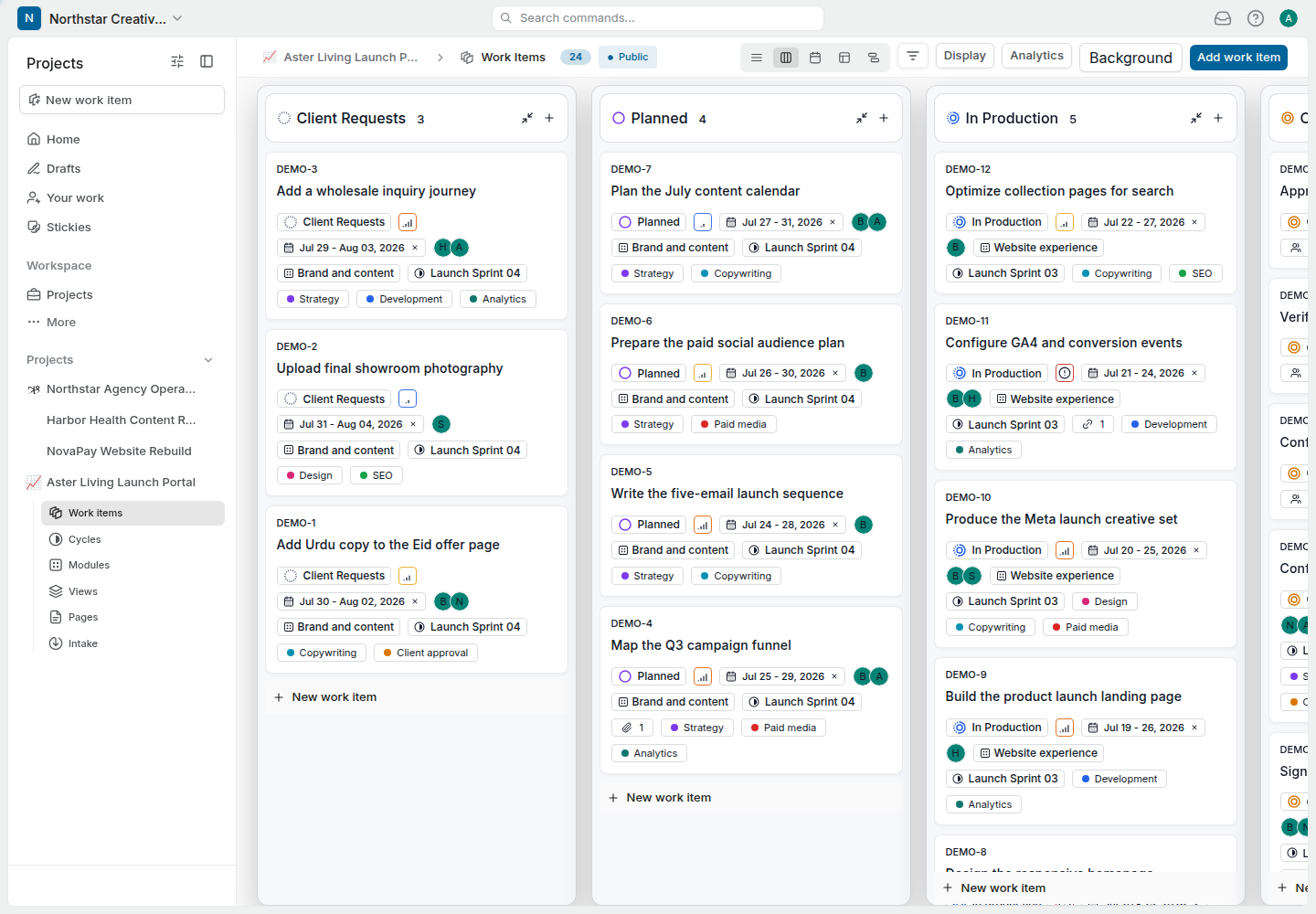
Inspect four projects, delivery boards, saved views, cycles, modules, pages, files, comments, dependencies, priorities, owners, estimates, and due dates.
Open agency workspace →See only the assigned client project, its work items, views, pages, intake, files, decisions, and progress. Other agency accounts remain outside the client’s workspace.
Open client workspace →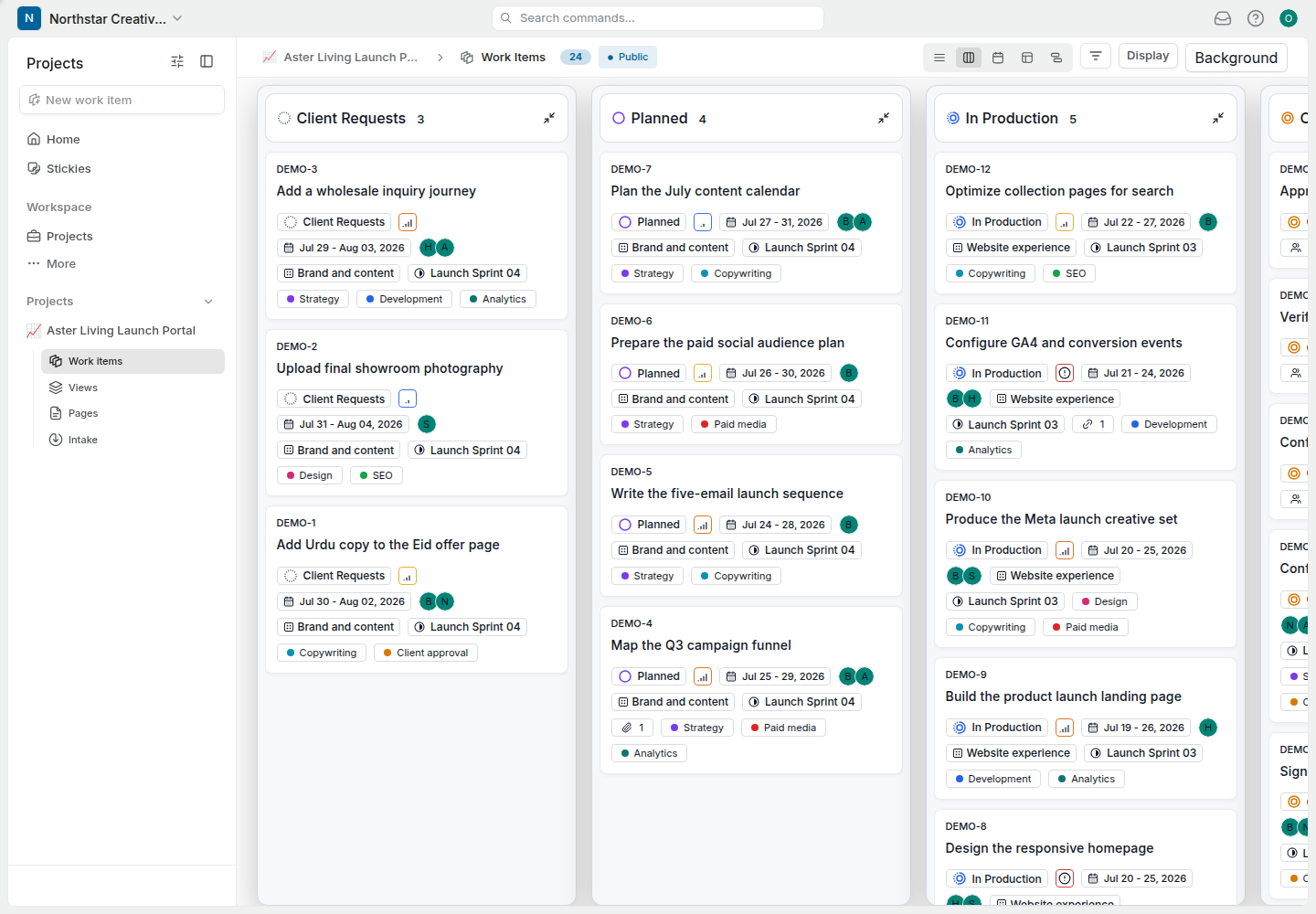
Use the sidebar, open work items, change views, inspect project pages, and compare permissions. The sample workspace reflects how an agency can organize active client delivery.
Switch among website, content, launch, and internal operations projects.
Open tasks with descriptions, priorities, dates, estimates, labels, and owners.
Inspect downloadable sample files, links, client comments, and internal context.
Explore Kanban, list, calendar, saved views, cycles, and modules where the role permits.
Open Pages that document briefs, launch plans, meeting notes, and operating context.
Compare the full agency sidebar with the restricted client-facing workspace.
Open the public client board for a quick, read-only look at the launch workflow.
Explore the demo, then discuss your domain, branding, migration, hosting, and client workflow directly with our team.